Pokemon Go - How to REVOKE access to your google account
When you sign up for Pokemon Go with a Google account, Niantic and partners acquire full access to your entire Google account.
There are several levels of access an application can have to your Google Account, but here are few examples:
Full account access
When you grant full account access, the application can see and modify nearly all information in your Google Account (but it can’t change your password, delete your account, or pay with Google Wallet on your behalf).Certain Google applications may be listed under full account access. For example, you might see that the Google Maps application you downloaded for your iPhone has full account access.
This “Full account access” privilege should only be granted to applications you fully trust, and which are installed on your personal computer, phone, or tablet.
If you’ve granted full account access to an app you don’t trust or recognize, we recommend that you revoke this permission by clicking the Revoke access button.
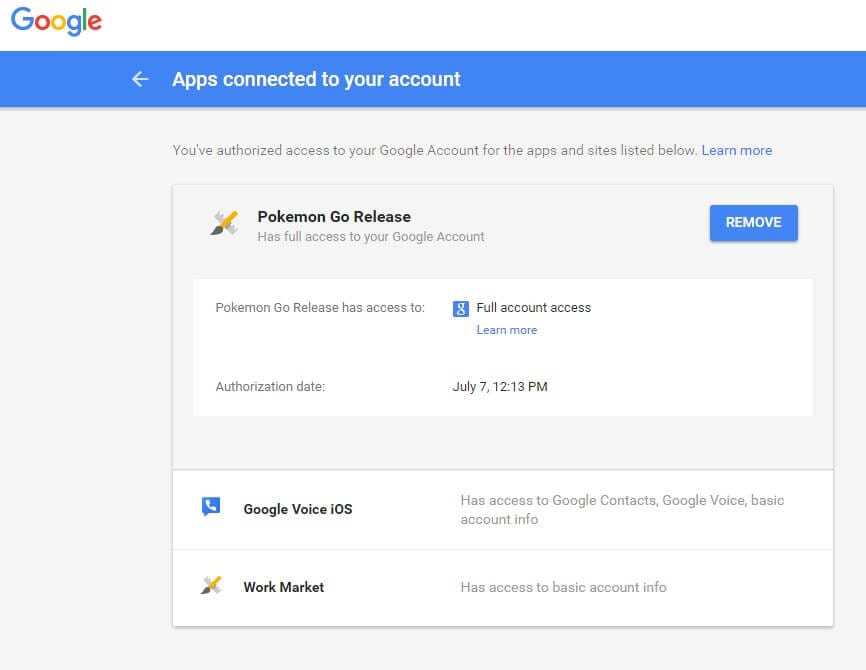
Here is how to revoke access to your google account for Pokemon Go:
- Go to your Google Security Page (link)
- Select Pokemon Go
- Click “REMOVE“
- Click “OK” to “Remove access“
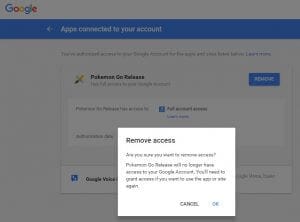
Pokemon Go - How to REVOKE access to your google account
Labels: Fort Lauderdale, Internet Security, Pokemon Go, Remove Google Access
posted by Gordo Web Design @ 3:19 PM
0 Comments


0 Comments:
Post a Comment
Subscribe to Post Comments [Atom]
<< Home